
KDP Apple Pages Templates for Amazon Publishing
Professional, print-ready Apple Pages templates built to Amazon KDP’s exact specifications. Choose your trim size, pick your page range, download and write.
Are you struggling to find KDP Apple Pages templates for your publishing projects?
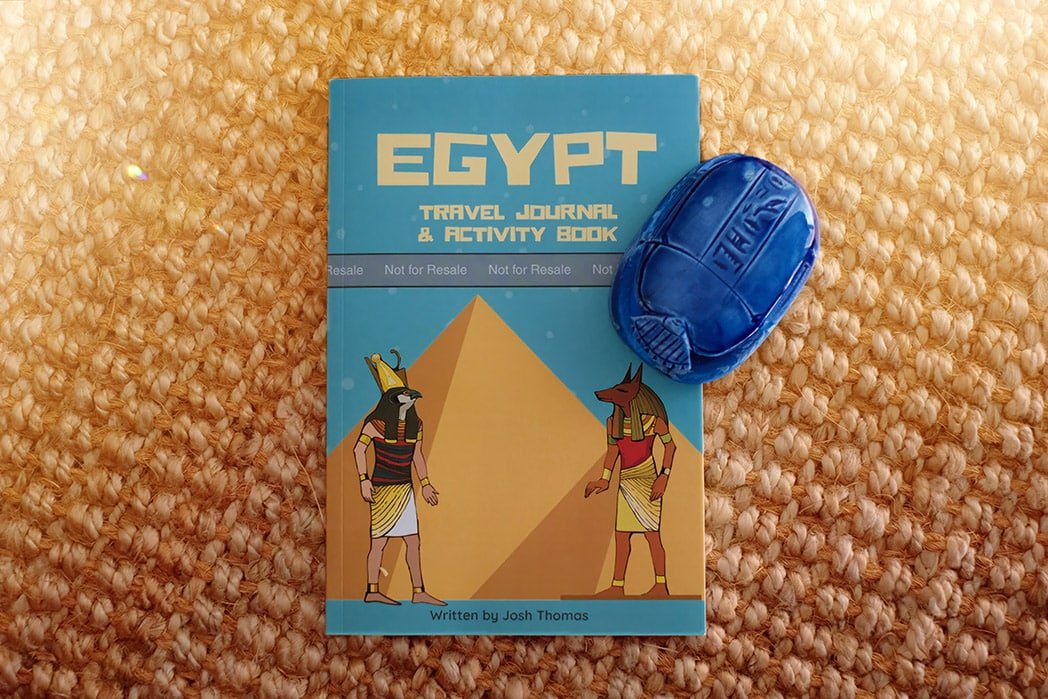
We’ve got exciting news. Our team successfully published our first Kindle Direct Publishing book on Amazon in 2020 (Egypt Travel Journal & Activity Book) using an Apple Pages template. We understand the challenges — the right margins, side-by-side facing pages, and KDP-compliant formatting. We’ve crafted a perfect solution.
Each template is blank, clean, and ready to fill with your content. Every download includes the Apple Pages template file and a step-by-step publishing guide. Available in 6 KDP trim sizes across 4 page-count ranges — 24 templates in total. While we charge a reasonable fee, these templates are an investment in your publishing success. They’ve significantly boosted our family’s income and we’re confident they can do the same for you.
Single Template
Pick your exact trim size and page range. Includes the Apple Pages template + step-by-step publishing guide. Instant download on purchase.
Full Collection — Best Value
All 24 Apple Pages KDP templates across every trim size and page range. Everything you need for any KDP project.
- All 6 KDP trim sizes included
- All 4 page-count ranges
- 24 Apple Pages templates total
- Complete step-by-step publishing guide
- Instant download on purchase

Dual-Page Spread in Apple Pages for KDP Publishing.
One challenge in assembling the book was viewing the template in a two-page spread. Working with the template in this dual-page format streamlined the entire process significantly.

Optimize Your Publishing with Our Ready-to-Use Apple Pages Template
Amazon KDP offers comprehensive guidance for creating an Apple Pages template, which you can undertake independently. However, if you’re aiming to save time — a significant factor for us in the development process — our ready-to-use template is available for you.

Effortless Amazon KDP Cover Creation with Canva
Creating a cover for Amazon KDP is incredibly easy with Canva. You can view the cover template and use it for free — the same one we used for our Egypt Travel Journal & Activity Book.
Can I write KDP on a Mac?
Yes, you can write for Kindle Direct Publishing (KDP) on a Mac, and to aid in this process, we provide specialized Apple Pages templates suitable for KDP. KDP accepts manuscripts in various file formats including Word (.doc or .docx), HTML, ePub, Plain Text (.txt), and more — all compatible with Mac. Our templates are designed to work seamlessly with Pages for KDP preparation. There are also other options like Microsoft Word for Mac, Scrivener, or Google Docs. Ensure the final format aligns with KDP’s submission guidelines.
Is there a book template in Pages?
Yes, Apple Pages does offer book templates — but these standard templates typically don’t meet the specific sizing and margin requirements of Amazon KDP. Our KDP-compatible templates are specifically designed for Apple Pages, ensuring they adhere to the correct sizing and margins set by KDP. Using our templates, you can be confident your book will meet Amazon’s standards for both digital and print formats.
How do I format a Word document like a book on a Mac?
Formatting a Word document as a book on Mac involves adjusting page layout, margins, fonts, and styles to meet publishing standards — a detailed process, especially for Amazon KDP. Our prebuilt Apple Pages templates are the ideal solution, tailored to KDP’s formatting guidelines including correct sizing and margins for an efficient experience on your Mac.
What sizes does Amazon KDP support for Apple Pages templates?
Our Apple Pages KDP templates cover the six most-used trim sizes: 5×8, 5.5×8.5, 6×9, 6.14×9.21, 7×10, and 8.5×11 inches — each across four page-count ranges (1–150, 151–400, 401–600, and 601+ pages). For custom sizes or other inquiries, contact us.